Bill Version History Tracking: Guide
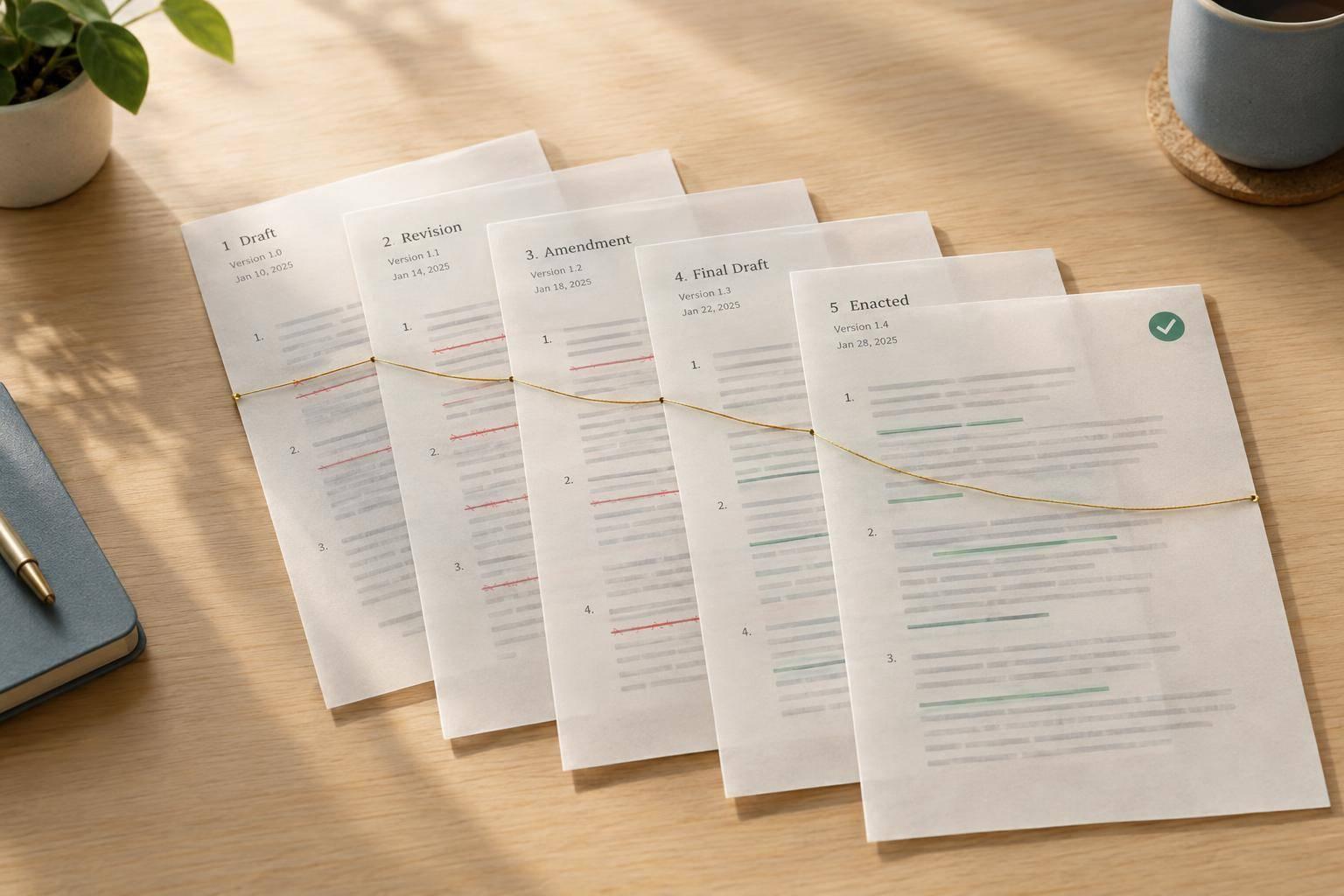
The newest bill text isn’t proof that it became law. I track bill versions by saving each official text, comparing its wording, and checking the actions behind each change.
My process comes down to four checks:
- Collect the records: Save version codes, dates, and source links from Congress.gov and GovInfo.
- Trace the changes: Follow committee edits, floor amendments, and House–Senate agreement. A proposed amendment is not an adopted change.
- Compare the text: Check wording, section numbers, dollar amounts, and deadlines. I use AI for explanations - not as proof.
- Confirm the outcome: Verify enactment separately before calling a bill law.
Congress.gov generally provides full bill texts from the 103rd Congress (1993–1994) onward. Whether you’re checking one provision or monitoring several bills, my rule stays the same: tie every claimed change to official text and its action record.
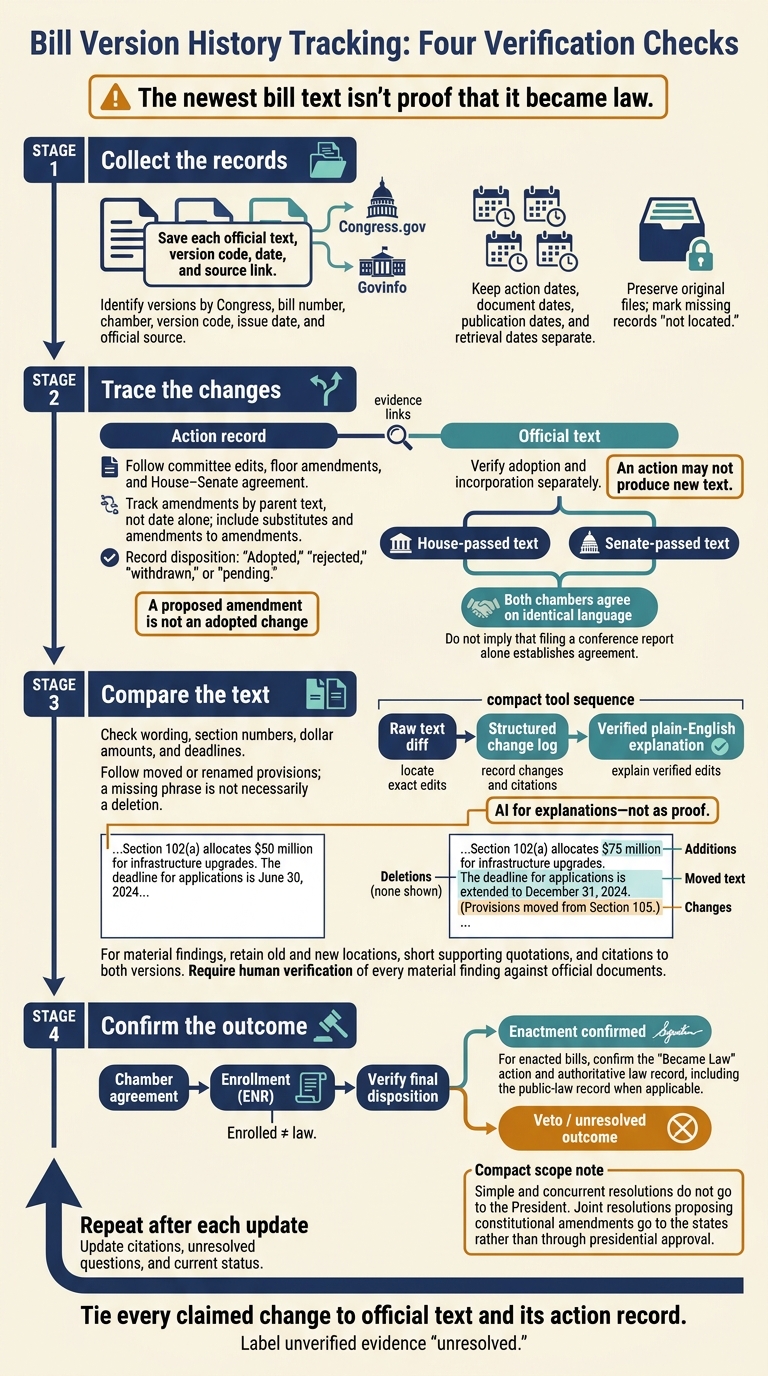
Bill Version History Tracking: Four Verification Checks
How Committee and Floor Actions Change Bills
Version codes show a bill’s stage. Committee and floor actions explain how it reached the next version.
Track actions and text separately. A referral or vote can change a bill’s status without producing new text. Save the event date, outcome, and resulting document.
| Event | Likely document | Official evidence to check |
|---|---|---|
| Referral or hearing | Referral entry, testimony, or hearing record; usually no revised text | Congress.gov actions and committee records |
| Committee markup | Amendment, substitute, and possibly reported text | Committee votes, adopted amendment text, and reported bill |
| Floor amendment | Amendment text and Congressional Record entry | Official disposition, chamber procedure, and later text |
| Chamber passage | Engrossed bill or engrossed amendment | Passage record and corresponding engrossed document |
| Amendment exchange or conference | Chamber amendments or conference report | Agreement actions in both chambers and agreed text |
| Enrollment | ENR document | Enrollment entry and identical text approved by both chambers |
| Enactment or veto | Law text or veto record | Presidential disposition, any override proceedings, and authoritative law record |
Committee Markups and Reported Versions
Referral sends a measure to committee; a hearing does not change its text. During markup, members debate and vote on amendments. These may include a substitute amendment that replaces most or all of the bill. The version-history paper trail usually starts here. Save the substitute and its adoption record separately.
Ordered reported means the committee advanced the measure - not that the final reported text is already published. If publication takes time, use committee records and amendment text to document adopted changes. Then check that those changes appear in the reported text when it becomes available.
Extensive revisions may appear under a new bill number instead. Link that measure to the original. Committee approval is not full-chamber passage, and a committee report explains changes rather than replacing legislative text. Check the adopted amendment alongside the reported text to verify exactly what changed.
Floor Amendments and Engrossed Versions
Do not treat an amendment as adopted until the record shows it passed. Check its disposition against the Congressional Record and the chamber’s procedure. That procedure determines which amendments members may offer and how the chamber handles them.
Compare adopted floor language - including changes to amendments - with the engrossed text. This helps catch technical renumbering and conforming edits.
Resolving Chamber Differences and Verifying Enactment
Keep House- and Senate-passed texts as separate branches until both chambers agree on identical language. They may exchange amendments or approve a conference agreement. Filing a conference report alone does not resolve their differences.
Verify chamber agreement, enrollment, and final disposition separately. Do not treat the latest posted text as law until enactment is confirmed. For bills and most joint resolutions, check the required enactment path, then locate the law text. Simple and concurrent resolutions do not go to the President. Joint resolutions proposing constitutional amendments go to the states rather than through presidential approval.
Tracing Amendments and Searching Bill Versions
Build an Amendment Tracking Worksheet
Once you have the action trail, connect each amendment to the text it changed. Start with the bill’s Legislative Activity or Full Timeline on Congress.gov, then add details from committee reports and floor proceedings. The Amendments tab is a starting point, but it may omit committee-level changes. Create one worksheet row for each amendment, including amendments to amendments, and link it to the bill version it changed. This keeps the text trail continuous.
Keep action dates, document dates, publication dates, and retrieval dates separate. If you can’t find a date or record, mark it “not located” rather than guessing.
| Worksheet fields | What to record |
|---|---|
| Amendment identifier | Bill or amendment number, including any substitute amendment identifier |
| Relationship | Parent amendment, or whether it is a substitute or an amendment to an amendment |
| Status | Adopted, rejected, withdrawn, or pending |
| Sections changed | Section numbers and the language changed |
| Change summary | What changed and whether incorporation was verified |
| Dates | Action date, document date, publication date if available, and retrieval date |
| Sources | Official document URL, action-record URL, and Congressional Record citation when available |
Use amendment numbers and roll call votes to connect substitute amendments to later chamber agreement.
Track amendments by parent text, not date alone. Record each amendment, its parent, and its disposition separately. For an amendment to an amendment, verify both dispositions. Also record adoption and incorporation separately: they are different steps.
Use the worksheet to follow each provision into later versions and confirm where it moved.
Find Provisions Across Bill Versions
Use Congress.gov filters to narrow results by Congress, chamber, measure type, status, and committee. Then open each version separately; the default search misses some historical text. Search for exact phrases, section headings, and defined terms. When the wording changes, broaden your search to related policy language.
Record prior and current section numbers alongside the text. A missing phrase doesn’t always mean a deletion - the provision may have been renamed or moved. Check again after committee, floor, and interchamber actions.
Using AI to Explain Bill Changes
Once you’ve mapped the bill trail, use AI to explain verified edits in plain English. Treat AI as a summary layer, not evidence. Give it both official versions and the edits you’ve identified, then check every output against the source text.
Raw diffs, change logs, and AI summaries serve different parts of the review. Use them together, choosing the right tool for each step.
| Method | Best use | Strengths | Limits | Official-source verification needs |
|---|---|---|---|---|
| Raw text diff | Finding exact insertions, deletions, and substitutions | Transparent and reproducible | Moved text, tables, and renumbering can obscure changes | Check both source texts for false positives caused by formatting |
| Structured change log | Recording changes by section, category, version, and effect | Supports filtering, auditing, and amendment tracking | Inconsistent labels or simplified entries can obscure complex edits | Match each row to cited text and the relevant action record |
| AI summary | Explaining technical changes in plain English | Makes likely policy effects easier to understand | May omit exceptions, misread cross-references, or infer unsupported effects | Check both versions, current law, and relevant committee reports and Congressional Record material |
Create a Change Summary With Citations
Identify each version by Congress, bill number, chamber, version code, issue date, and official source. Leave original files untouched. In working copies, normalize only headers, spacing, and line breaks. Check OCR results for errors in numbers and legal terms.
Find edits by section, then use headings, defined terms, and statutory references to realign provisions that moved. Keep amendment instructions separate from consolidated text.
Ask AI to classify each change as policy, fiscal, implementation, procedural, technical, definitional, cross-reference, or clerical. Check funding amounts, fiscal years, deadlines, triggers, eligibility, exceptions, enforcement, penalties, and effective dates. Also check whether the language authorizes spending or appropriates it.
For every material finding, require the old and new locations, short supporting quotations, and citations to both versions. Include section and page or line references where available. Separate explicit changes from inferred effects, and flag missing records, OCR defects, unclear amendment relationships, and changes that need a current-law review. Before publication, a human reviewer must verify every material finding against the official documents.
Use Legislate.dev to Monitor Bills
After identifying likely changes, use live tracking to decide which bills need another text check.
Legislate.dev provides AI-powered plain-English summaries, searchable congressional bill records, and progress and vote updates in near real time. Use it to flag bills and votes for another text review, then verify the version, wording, and action record against official sources.
Conclusion: Keep a Verifiable Bill History
Readers should be able to trace a measure by its Congress and bill number through each version, the action that produced it, and the next related text. Keep source links, publication dates, retrieval dates, and amendment chains. Label unverified evidence as unresolved rather than treating it as fact.
Confirm enactment separately: an enrolled bill is not law until the Became Law action and public-law record confirm it.
Use this checklist after each update:
- Check new actions. Save the matching text, amendments, reports, and relevant Congressional Record entries.
- Compare against your baseline. Identify additions, deletions, renumbering, and changes to amounts or dates.
- Verify amendment disposition. Check material AI claims against official evidence.
- Update citations, unresolved questions, and current status.
FAQs
What do bill version codes like IH, RH, and ENR mean?
Bill version codes tell you where a bill stands in the legislative process and which chamber it’s in:
- IH (Introduced in House): The bill’s first version, introduced in the House.
- RH (Reported in House): The bill has been reported out of a House committee.
- ENR (Enrolled): Both chambers have passed identical text, and the bill is ready to be presented to the president.
Legislate.dev helps users track these versions with plain-English summaries.
How do I track a bill reintroduced in a new Congress?
Treat a reintroduced bill as a separate legislative action. Bill numbers reset every two years, so the old number won’t reliably identify it. Search Congress.gov or Legislate.dev using the bill’s short or official title to find it in the current Congress.
Check the title or subject matter to confirm you have the right bill. Then compare its new text with earlier versions to see what changed since its last introduction.
How can I tell whether an edit changes a bill’s legal effect?
Review the amendment record and floor debate to see how the bill changed. Track amendment votes to check whether language was added or revised before the final vote. Floor statements can explain why an amendment was introduced, including changes to provisions related to existing law.
Use Legislate.dev’s plain-English summaries to understand the key provisions, then compare them with the official source text.