How to Track a Bill Through Congress: 5 Simple Steps
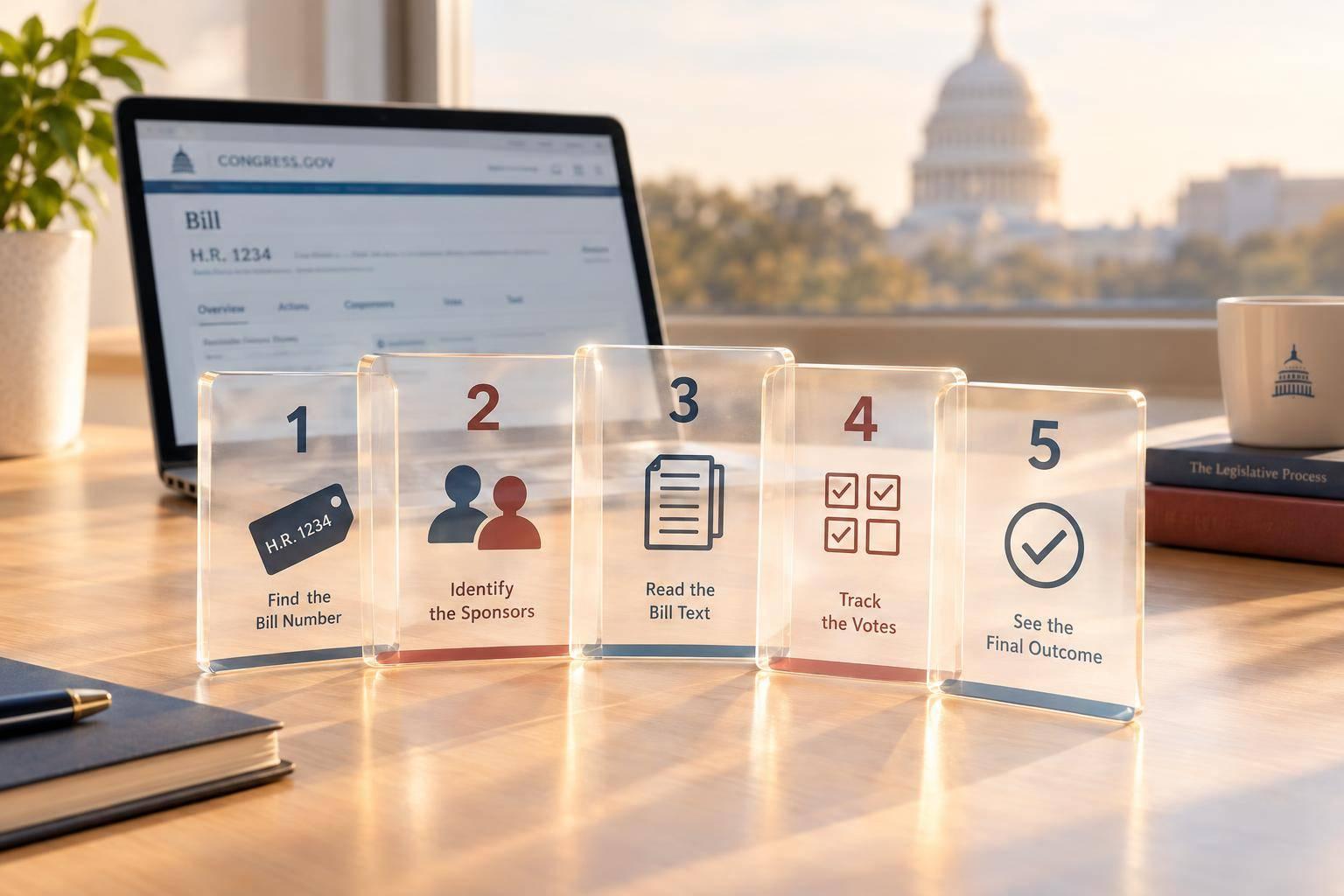
I track a bill on Congress.gov by checking its identity, supporters, text, votes, and outcome. Start with the bill number and Congress - bill numbers reset every 2 years.
Here’s my five-step checklist:
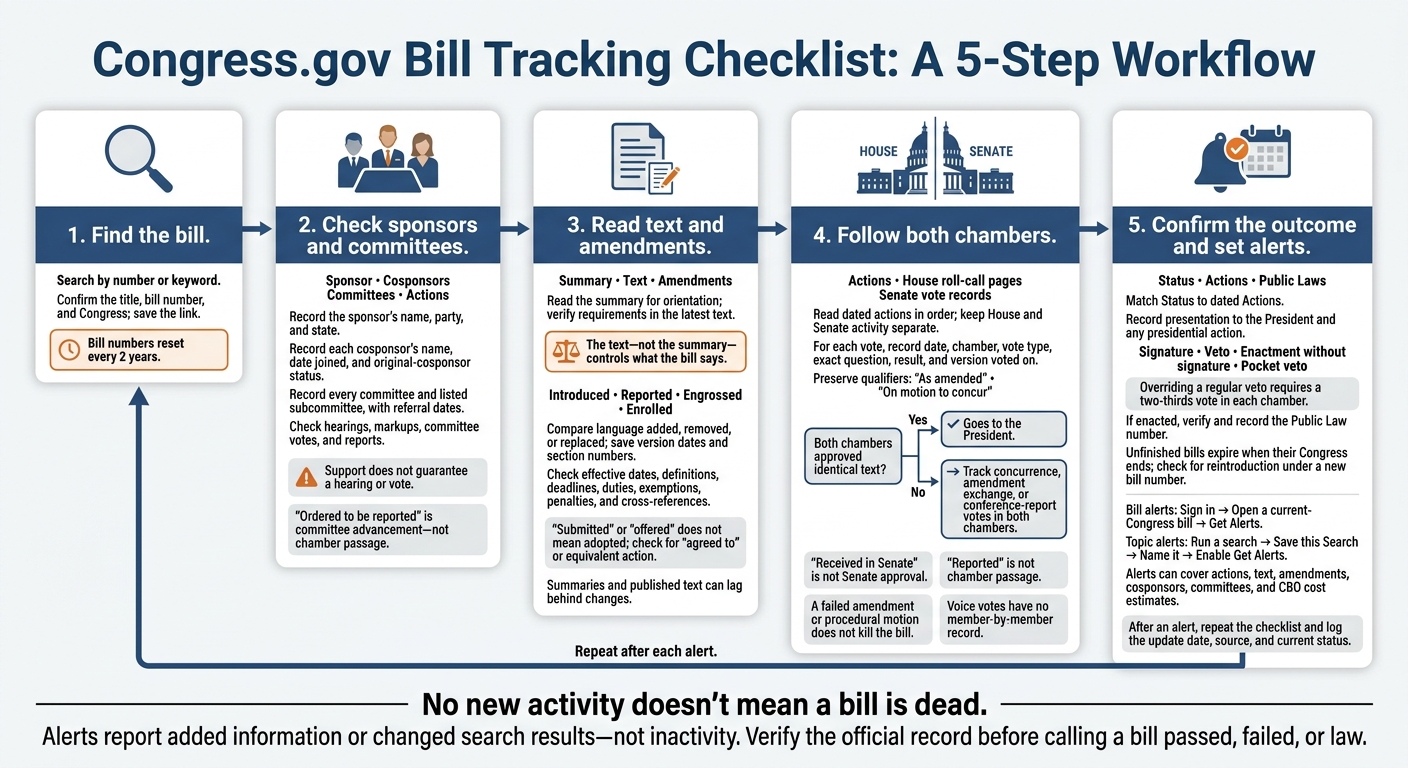
- Find the bill. Search by number or keyword, confirm the title and Congress, and save its link.
- Check sponsors and committees. Note who introduced or cosponsored it and where it was referred. Support alone doesn’t mean it will get a vote.
- Read the text and amendments. Compare versions and check which amendments were adopted. The text - not the summary - controls what the bill says.
- Follow both chambers. Check dated actions and vote records. House and Senate approval must cover identical text before the bill goes to the President.
- Confirm the outcome and set alerts. Check presidential action and any Public Law number, then use alerts to keep your notes up to date.
My rule: no new activity doesn’t mean a bill is dead. I check the official record before calling it passed, failed, or law.
How to Track a Bill Through Congress: 5 Steps
How to use Congress.gov to look for bills, reports, members, and more
2. Check the Sponsor and Committee Referrals
Identify who introduced the bill and which committees received it.
Record Sponsors and Referrals
In your tracking note, add the sponsor’s name, party, and state. Include each cosponsor’s name, the date they joined, and whether they were an original cosponsor.
Record every committee and listed subcommittee, along with referral dates - not just the first committee shown.
Find Sponsor and Committee Records
Check the bill page’s Sponsor, Cosponsors, and Committees sections. Then cross-check Actions for dated referrals and later committee action.
Example: S. 978, the HELPER Act of 2025, was introduced by Senator Ashley Moody of Florida on March 12, 2025, and referred to the Senate Committee on Banking, Housing, and Urban Affairs.
Separate Support From Progress
The sponsor introduces the bill. Cosponsors formally support it, either at introduction or later. Neither the number of cosponsors nor the sponsor’s committee position guarantees a hearing or vote.
A referral sends the bill to the committee with jurisdiction. House bills may have multiple referrals, so track each separately.
Check for later hearings, markups, committee votes, or reports. A hearing gathers testimony. A markup is a committee meeting where members debate and amend the bill. “Ordered to be reported” means the committee decided to advance the measure - not that the full chamber passed it.
If no later activity appears, note that no action is listed without guessing why.
3. Read the Text, Summaries, and Amendments
After referral, read the bill text and amendment record to see what the measure actually changes.
Read the Summary and Latest Text
Start with the official Summary tab for an overview of the bill’s purpose, affected programs, funding, and major requirements. Then read the latest Text version for the bill’s current stage. The text is the controlling source, not the summary. Congress.gov labels versions introduced, reported, engrossed, or enrolled. Summaries may lag behind later changes.
Look for effective dates, definitions, deadlines, duties, exemptions, and penalties. Record the section number, required action, who must comply, and what triggers the requirement. Check cross-references, too: a definition elsewhere in the bill can narrow who or what it covers.
Find Text Versions and Amendments
Use Text, Summaries, and Amendments to compare versions and follow amendment records. Open linked committee reports or Congressional Record entries when you need more detail. Summaries can help you get your bearings, but verify exceptions, deadlines, and covered entities in the official text.
Check Which Changes Were Adopted
Compare earlier and later versions section by section to find language added, removed, or replaced. Pay attention to changes in scope, funding, exemptions, enforcement, and implementation dates. Save both version dates and the relevant section numbers in your tracking note so you can trace each change.
Check each amendment’s status and related action. “Submitted” or “offered” does not mean adopted; look for “agreed to” or an equivalent action. If an adopted change is missing from the latest published text, check the amendment text and Congressional Record. Publication can lag several days.
Next, track the actions and votes that show whether the bill advances in each chamber.
4. Track Actions and Votes in Both Chambers
After reviewing the bill text and amendments, check Actions to see whether the bill moved forward, stalled, or changed in each chamber.
Read Actions in Date Order
Open Actions on Congress.gov and start with the earliest entry. Follow the bill through referral, committee action, floor consideration, and passage. Record each action’s date, chamber, and linked document.
Keep House and Senate activity separate. “Received in Senate” means the bill was transmitted to the Senate, not approved by the Senate.
For every vote, save the date, chamber, vote type, exact question, result, and version voted on. Keep wording such as “as amended” or “on motion to concur.” These phrases tell you exactly what lawmakers approved.
Find Actions and Vote Records
Check the linked House roll-call pages or Senate vote records to verify vote totals, individual member votes, the vote type, and the exact question. Voice votes have no member-by-member record. A missing roll call doesn’t mean no vote took place.
Understand What Each Status Means
Reported means the committee formally sent the measure to the chamber - not that the chamber passed it. Read “passed,” “agreed to,” or “failed” alongside the exact question. A failed amendment or procedural motion does not kill the bill.
Passing one chamber does not make a bill law. Both chambers must approve identical text before the bill goes to the President. “Passed, as amended” does not mean they approved the same text. If either chamber changes the bill, track the matching concurrence, amendment exchange, or conference-report vote in both chambers.
5. Confirm the Outcome and Set Alerts
Check the Bill’s Final Outcome
After tracking actions and votes, confirm where the bill stands. Inactivity is not a final outcome. Check Status against the dated Actions entries to see whether the bill is pending, failed, vetoed, or awaiting an override vote. Unfinished bills expire when their Congress ends - they don’t automatically carry over. Look for reintroduction under a new bill number.
If the bill clears Congress, presidential action determines what happens next. Record the date it’s presented to the President, then watch for a signature, veto, enactment without signature, or pocket veto. Overriding a regular veto requires a two-thirds vote in each chamber. Record the date of any presidential action and, if the bill becomes law, its Public Law number.
Confirm Final Actions and Set Alerts
Match Status to the dated Actions entry, then verify the Public Law number in Congress.gov’s Public Laws collection. To set alerts, sign in, open a bill from the current Congress, and select Get Alerts. Alerts can cover actions, text, amendments, cosponsors, committees, and Congressional Budget Office (CBO) cost estimates.
To track a topic or related bills, run a search, select Save this Search, name it, and enable Get Alerts. Emails arrive when information is added or search results change - not when nothing happens.
Repeat the Five-Step Tracking Process
Treat each alert as a prompt to repeat the tracking process and update the bill’s status, text, and outcome. Before changing your tracking note, confirm the bill number and Congress. Review sponsors and committees, check text and amendments, follow both chambers, and verify the outcome.
Open the new action or document and compare the updated text when applicable. Log the update date, source, and current status. Check major updates against official congressional records.
FAQs
How do I find a bill that was reintroduced?
Search Congress.gov or the Legislate.dev bills index using the bill’s title or subject keywords. Reintroduced bills get new bill numbers, so don’t search using the number from the previous session.
When you find the current version, check its sponsor and committee referrals to follow its progress. Set up keyword alerts to get updates as the bill moves through both chambers.
Can a stalled bill advance through another bill?
Yes. Language from a stalled bill often gets added to another active bill as an amendment or substitute. Track the active bill’s text, amendments, and legislative actions on Congress.gov to see whether those provisions are moving through committee or floor consideration toward a final vote.
How do I track related House and Senate bills?
Track each bill on its Legislate.dev page. The timeline lists committee referrals, floor votes, and messages between chambers.
When a bill moves to the other chamber, you’ll see when it was received, which committees it was assigned to, and what happened next. These updates help you follow how the House and Senate consider, amend, or resolve the bill.