7 Ways to Monitor Your Representative's Voting Record
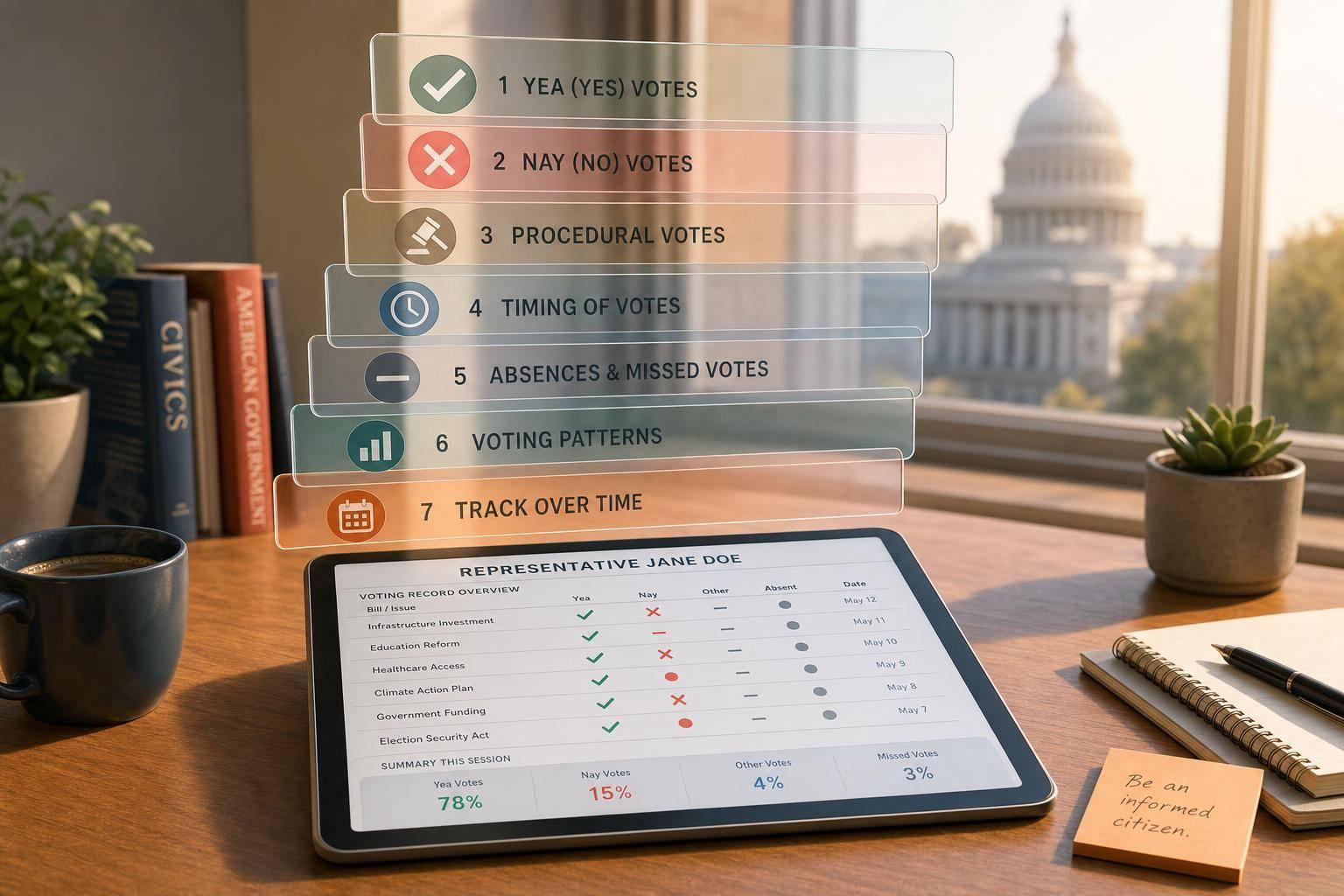
A voting record is not just the final “Yea” or “Nay.” If I want the full picture, I need to track amendment votes, rule votes, motions to recommit, final passage, missed votes, and the member’s own explanation.
As of September 29, 2026, the House had logged 1,579 roll-call votes, but only 119 bills had become law. That tells me something simple: if I only look at bills that became law, I miss most of the story.
Here’s the short version of how I would track a representative well:
- Use one fast tracker to scan recent votes and plain-English summaries
- Check Congress.gov for the official bill timeline and member activity
- Confirm each roll call with the Clerk of the House
- Use pattern tools like GovTrack and ProPublica to spot party-line breaks and missed votes
- Read the member’s own site or newsletter to see how they explain the vote
- Log key votes in a spreadsheet by issue, outcome, and my own view
A few points matter most:
- Motion type matters: a rule vote is not the same as final passage
- “Not Voting” matters: missed votes can add up fast
- One bill can have many votes: one on procedure, one on amendments, one on passage
- Context matters: a member may support a bill’s goal but oppose how it reached the floor
Quick Comparison
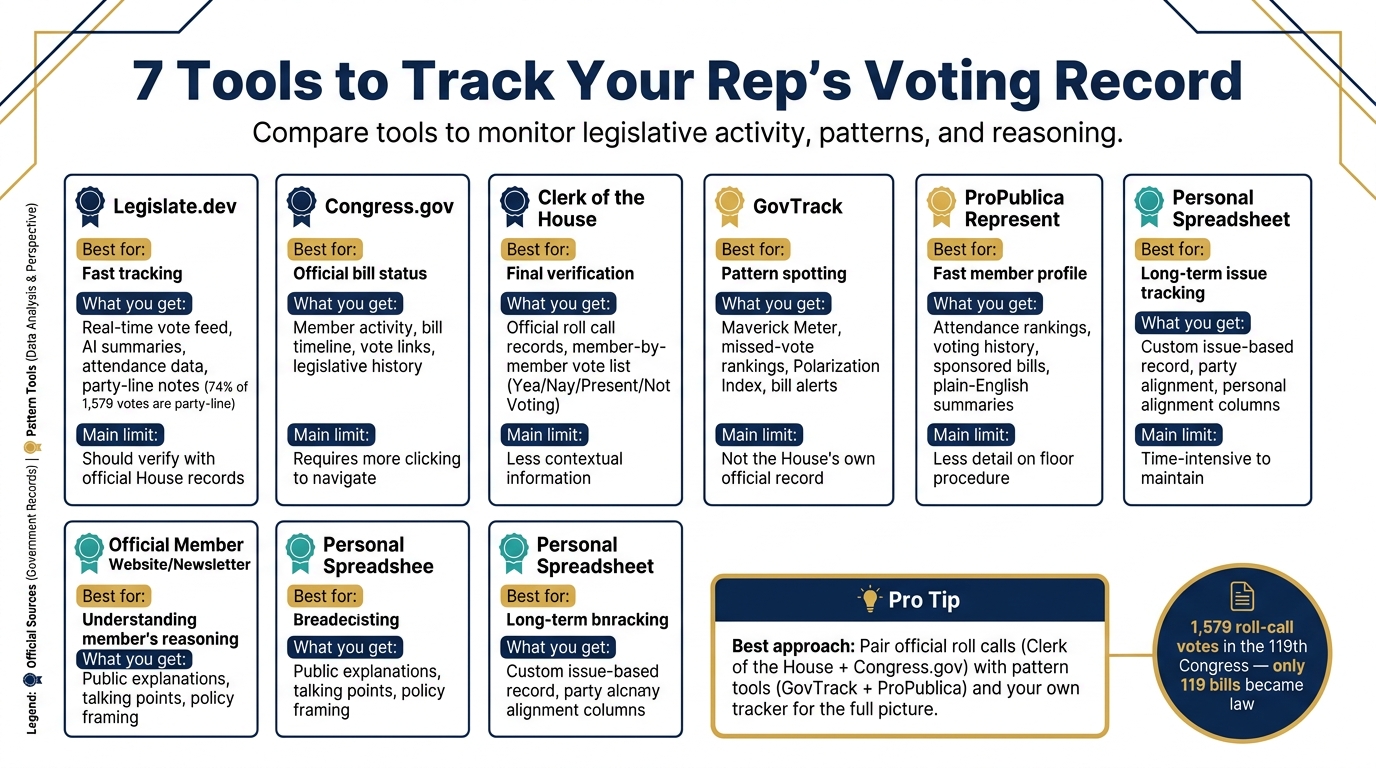
7 Tools to Track Your Rep's Voting Record: Quick Comparison Guide
| Method | Best for | What I get | Main limit |
|---|---|---|---|
| Legislate.dev | Fast tracking | Vote feed, summaries, attendance, party-line notes | I should still verify with House records |
| Congress.gov | Official bill status | Member activity, bill timeline, vote links | Can take more clicking |
| Clerk of the House | Final check | Official roll call and member-by-member vote | Less context |
| GovTrack | Pattern spotting | Alerts, missed-vote rates, party-break data | Not the House’s own record |
| ProPublica Represent | Fast profile view | Attendance, voting history, sponsored bills | Less detail on floor process |
| Official member site/newsletter | Member’s reason | Public explanation and talking points | One-sided view |
| Personal spreadsheet | Long-term tracking | My own issue-based record | Takes time to maintain |
My takeaway: the best way to monitor a representative is to pair official roll calls with pattern tools and my own tracker. That gives me both the vote itself and the meaning behind it.
What Counts as a Voting Record
A voting record covers more than the final yes-or-no vote. It also includes amendment votes, procedural motions, and final passage.
Here are the vote types you'll see most often:
| Vote Type | What It Decides | Threshold to Pass |
|---|---|---|
| On Passage | Final approval of a bill | Majority |
| Amendment | Changes to a bill's text before final vote | Majority |
| Motion to Recommit | Minority attempt to amend or block a bill | Majority |
| Suspend the Rules | Speeds passage of noncontroversial bills under limited debate | Two-thirds |
| Rules | Sets the terms for debating a bill | Majority |
Use these vote types to read each tracking source the right way.
Members can vote Yea, Nay, Present, or Not Voting. And Not Voting matters more than most people think. Some members miss over 49% of recorded votes.
It also helps to separate a member’s personal vote from the final House result. Those are not the same thing. A representative can vote Nay on a bill that still passes, or vote Yea on one that fails.
And one bill can lead to more than one recorded vote. In July 2026, the House voted on H.R. 7008 (Stop Insider Trading Act) twice in the same session. First came a Motion to Recommit - Roll Call #279 - which failed 211–218. Then came On Passage - Roll Call #280 - which passed 232–198. The bill also moved under a closed rule, so no floor amendments were allowed.
Two votes, one bill, and a procedural limit that shaped the whole fight. That’s the kind of detail the tracking tools below help you follow.
1. Legislate.dev
Once you know which votes matter, Legislate.dev gives you a fast way to check a representative’s record. It’s an AI-powered platform for tracking U.S. congressional activity, and its member profiles let you zero in on one lawmaker’s voting history without digging through a pile of House data.
Its real-time roll-call feed lists House votes by date, roll call number, and motion type. Each vote page shows the tally by position - Yea, Nay, Present, and Not Voting - and includes a party-line analysis. As of September 2026, it had tracked 1,579 roll-call votes in the 119th Congress, and 74% of them were party-line.
That helps you move from a raw list of roll calls to the story behind each vote. The platform also adds AI-generated context to each entry: complex bills are summarized in plain language, key provisions are pulled out, and major votes also come with floor debate summaries.
Each vote entry includes the official roll call number and Congressional Record citation, so you can verify the details yourself. It also shows attendance patterns, including members with perfect records and those who missed a large share of votes. So if you want to compare what the platform shows with official House records, you can do that without much friction.
2. Congress.gov Member Profiles and House Vote Search
Congress.gov is the official record of U.S. legislative activity. Each representative’s profile pulls key details into one place, including voting history, sponsored bills, and committee assignments. That makes it much easier to follow what a member has done without bouncing between a bunch of pages.
The "Legislative Activity" timeline is especially useful because it shows a bill’s path from introduction to final vote. Say you’re checking H.R. 9576. Congress.gov shows that it passed the House on September 16, 2026, by a vote of 352–72. Once you have that timeline in front of you, it’s much easier to line up the bill with the exact House vote you want to review.
When you’re checking a member’s vote, use the roll call number to confirm it. Also look at the "Not Voting" column so you can see who missed the vote. For instance, Roll Call #301 on H.R. 2978 passed 414–7, and several members were listed as not voting.
Use Congress.gov when you want the official vote, bill status, and action history in one place. If you need the original House vote record, the Clerk is the next stop.
3. Clerk of the House Roll Call Vote Records
Once you have the vote number, go to the Clerk of the House for the official House record. The Clerk publishes the official roll call record for every House vote. Each vote gets its own sequential Roll Call number, and that number is the permanent official identifier for the action.
You can search by roll call number or browse by date and time. Each record shows the bill number, bill title, and the motion under vote, such as "On Passage" or "On Motion to Recommit".
If you want to check how your representative voted, open the vote-by-member list. It shows every member by name, state, and party, along with their vote: Yea, Nay, Present, or Not Voting. The member-by-member list also shows the party breakdown, including Not Voting. Use this when you need the exact House record before looking at voting patterns over time.
4. GovTrack Member Pages and Alerts
Once you’ve confirmed a roll call in the official record, head to GovTrack to see the bigger picture. A single vote can tell you something. A voting pattern tells you a lot more.
GovTrack’s member pages pull a representative’s votes, patterns, and alerts into one place. You can also set alerts for a member or a bill, so you’ll get updates when new votes are recorded.
Its Maverick Meter points out the members who most often vote against their party line. GovTrack also ranks members by missed-vote percentage, which makes attendance patterns easy to spot.
The Polarization Index tracks how often votes split along party lines over time. That helps you compare a member’s record across issues instead of judging them by a single roll call. If you want a more public-facing profile with issue summaries and voting history, move next to ProPublica’s Represent.
5. ProPublica's Represent Profiles
If GovTrack helps you spot patterns, Represent turns those patterns into a member profile you can scan in seconds. ProPublica's Represent pulls together voting history, attendance, and sponsored bills in one place.
Its attendance rankings make missed votes stand out fast, with some members missing more than half of recorded votes. That kind of context is easy to miss if you look at vote totals alone. The primary-sponsor ranking also shows how active a member is in writing legislation, not just how they voted once a bill hit the floor.
Represent also sums up long or technical bills in plain English. Use it when you already know the vote and need the context fast. If you want the member's own explanation for those votes, head to the official website and newsletter next.
6. Official Member Website and Congressional Newsletter
A member’s official website and email newsletter are often the first places to look when you want to know why they say they voted a certain way. These sources usually spell out policy reasons, process objections, and district-facing talking points. In plain English: they tell you how the member wants the vote to be understood before you compare that message with the official roll call.
Press releases, floor statements, issue pages, and newsletters can be especially useful here. They show how a member frames a vote and which priorities they want constituents to notice. A vote that looks routine on paper may be presented as a win for the district, a stand on principle, or a protest over House procedure.
That gap between message and record can be pretty telling. Rep. James P. McGovern, for example, argued that floor action, not slogans, should define the majority's record. The House passed H.R. 9576, the National Fraud Enforcement Division Act, by a vote of 352–72, and McGovern voted "Nay". On its face, that vote might seem out of step with the bill’s stated aim. But a newsletter may explain it as opposition to how the bill came to the floor, not opposition to the aim itself, especially if the member objected to a closed rule or another limit on debate.
What these sources leave out matters too. Official sites explain motive, but they usually don’t show a full roll-call record or a member’s voting pattern across time. Use them for the why, then line up each explanation with the official roll call. It also helps to log the explanation alongside the vote so you can compare the member’s public message with the record over time.
7. A Personal Voting-Record Spreadsheet and Issue Tracker
Once you confirm a vote in the official record, add it here so you can track it by issue. A personal spreadsheet gives you a simple way to follow the votes that matter to you, not just the ones that make headlines.
For each vote, include these core columns: Date (MM/DD/YYYY), Roll Call #, Bill #, Bill Title or Short Title, Motion Type (such as On Passage or Motion to Recommit), Member Vote (Yea, Nay, Present, or Not Voting), Vote Result (Passed/Failed), Vote Tally, and Policy Area. It also helps to add a Party Alignment column to show whether the vote matched the party majority, plus a Personal Alignment column to show whether the vote matched your own position. After a while, those two columns make patterns much easier to see.
Use this template to turn roll calls into a personal record:
| Date | Roll Call # | Bill # | Bill Title | Motion Type | Member Vote | Vote Result | Vote Tally | Policy Area |
|---|---|---|---|---|---|---|---|---|
| Sep 16, 2026 | 309 | H.R. 9576 | National Fraud Enforcement Division Act | On Passage | Yea | Passed | 352-72 | Judiciary |
Two simple spreadsheet tools make this much easier to manage:
- Use data validation dropdowns for the Member Vote and Vote Result columns so you don't have to type those entries by hand each time.
- Use the
HYPERLINKformula to link each bill number to its source page, so you can open the full text or a plain-language summary with one click.
Update the tracker after each vote you care about. Over time, you'll start to spot missed votes, breaks with the party, and votes that don't match your own position.
Simple Vote Tracker Template
Use this expanded tracker when you want to spot patterns across votes, issues, and sessions. If you already track roll calls, these extra fields help turn a list of votes into something much more useful.
| Date / Roll Call # | Bill / Amendment | Motion Type | Member Vote | Outcome | Issue Area | Member Explanation | Source / Verified On |
|---|---|---|---|---|---|---|---|
| Sep 16, 2026; Roll #310 | H.R. 10326 (PROOF Act) | On Passage | Nay | Passed (217-207) | Gov. Spending | "Bill is a sham; doesn't address core corruption." | Legislate.dev; Sep 29, 2026 |
| Sep 16, 2026; Roll #311 | H.J.Res. 213 (EPA Rule Disapproval) | On Passage | Yea | Passed (214-208) | Energy | Opposes EPA harbor craft regulations. | Legislate.dev; Sep 29, 2026 |
| Sep 15, 2026; Roll #305 | H.R. 9500 (Tax Relief for Fraud Victims) | Suspend Rules & Pass | Yea | Passed (408-17) | Taxes | Supports relief for fraud victims. | Legislate.dev; Sep 29, 2026 |
| Jul 22, 2026; Roll #280 | H.R. 7008 (Stop Insider Trading Act) | On Passage | Nay | Passed (232-198) | Ethics / Elections | "Poison pill" voter ID provisions added. | Legislate.dev; Sep 29, 2026 |
When a vote seems confusing, the floor record usually clears things up. The Member Explanation column does most of the heavy lifting here because it shows why someone voted the way they did. Floor debate often gives the context that a plain Yea or Nay can't.
For example, on H.R. 7008, Rep. Joseph D. Morelle explained his Nay vote this way:
"The bill before us is a crude combination of two completely unrelated bills - the so-called Stop Insider Trading Act and the Voter ID Act... It is a bill to destroy vote by mail." - Rep. Joseph D. Morelle, D-NY-25
The Issue Area column helps you compare votes across health care, taxes, energy, spending, and other priorities. That makes monthly review much easier. You can start to see whether a member shifts by topic, stays in line with their party, or breaks off on a few issues.
That matters because, in the 119th Congress, 74% of votes have been party-line. So when a vote breaks that pattern, it's usually worth a closer look. Over time, this tracker makes it easier to sort votes by issue and spot steady behavior - and to see whether your representative is a strict party-line voter, a frequent outlier, or someone who splits off only on certain issues.
Conclusion
Official roll calls show what your representative did. Summaries, transcripts, and your tracker help explain why it mattered. That’s why cross-checking matters so much. Match every summary against the roll call, and confirm the vote yourself before you decide what it means.
Then zoom out and look for patterns instead of one-off votes. When you track how your representative votes across related bills, you get a clearer view of their policy priorities. Party-line breaks and missed votes can also show whether public statements line up with the record.
That context helps when you contact the office. A specific roll call number, a documented pattern, or a direct quote from the floor record will usually go a lot further than a vague complaint. These tools give you evidence you can use to make the conversation specific and grounded. Bring the roll call number, the pattern, and the floor record with you.
FAQs
How often should I check my representative’s votes?
There’s no one required schedule, but checking in on a regular basis helps you stay informed when legislative activity is this busy.
In the 119th Congress alone, there have been more than 1,500 roll-call votes. Representatives cast hundreds of votes over the course of a year, so looking them up from time to time can give you a clearer sense of how their actions line up with your priorities between election cycles.
Which votes matter most on a single bill?
It depends on your priorities. If you want to understand a representative’s position on a bill, don’t stop at the final passage vote.
Look at procedural votes and amendment votes, then compare those with the representative’s sponsorship record. Taken together, those signals can show whether they supported moving the bill ahead, what policy details they backed, and whether their actions on the floor line up with what they publicly champion.
How can I tell if a missed vote is a pattern?
Compare your representative’s total missed votes with the current representative median. Then dig into their full roll-call history to see how often they show up as not voting.
That side-by-side view gives you a better read on the pattern. A few missed votes here and there may not mean much. But if absences keep showing up over time, that can point to a habit rather than a one-off.
It also helps to look at when those missed votes happen. Do they cluster around certain bills or debates? Do they show up during routine procedural votes, major spending packages, or party-line fights? That extra context can tell you a lot about how your representative handles the job.