Staying Informed on Legislation: 6 Practical Tips
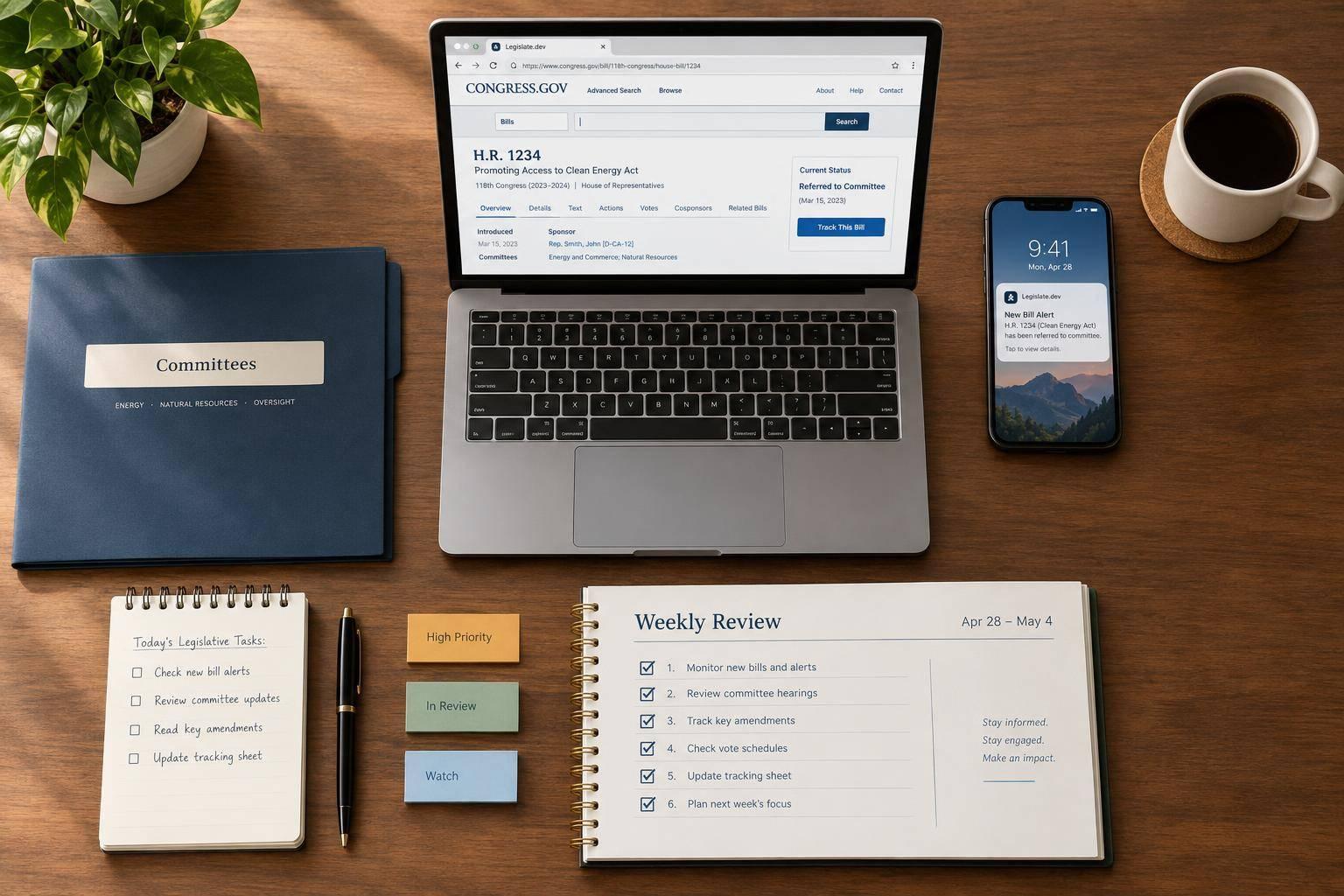
I start with one issue, one bill, and a 15–30 minute weekly check. You don’t need to follow every proposal - just track what affects you and verify what changed. A bill’s introduction does not make it law.
Here’s the six-step routine I use:
- Read summaries and news. Start with Legislate.dev, then check dates and confirm claims against official bill text.
- Find bills on Congress.gov. Check the latest action, text, and related measures. For current bills, select the 119th Congress.
- Set focused alerts. Track specific bills and topic searches, then check what each notification means.
- Follow committee activity. Review hearing testimony, markup amendments, and vote results.
- Check lawmakers’ updates. Compare their statements with the official record - not just the headline.
- Review regularly. Log changes each week and spend 30–60 minutes monthly trimming your watchlist.
My rule: check the stage before reacting. Committee approval, chamber passage, and enactment are different steps.
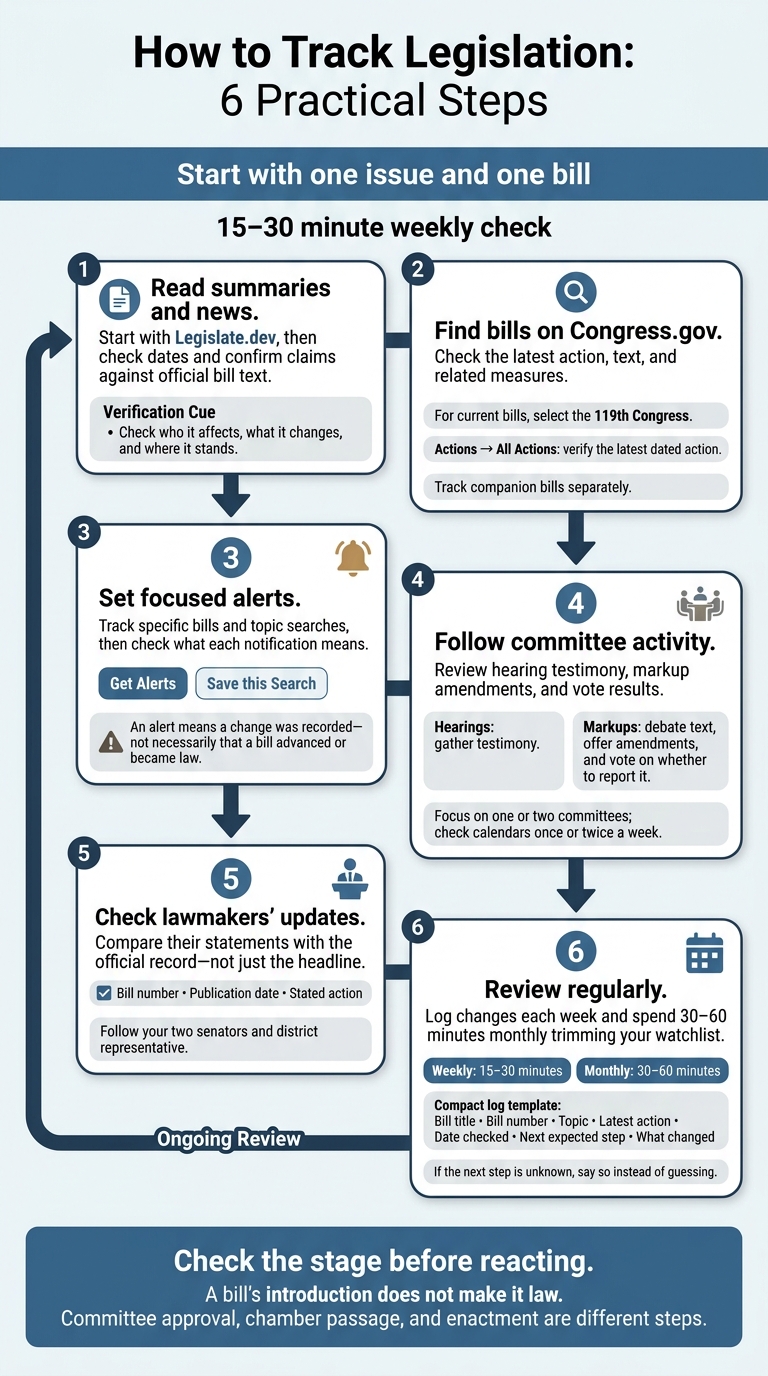
How to Track Legislation: 6 Practical Steps
How to use Congress.gov to look for bills, reports, members, and more
1. Read Reliable News and Bill Summaries With Legislate.dev
Search Legislate.dev by topic, bill title, or bill number. Its plain-language summaries explain who a proposal affects, what it changes, and where it stands. Use them to scan issues before opening the full bill text. Look beyond the bill’s stated goal: check provisions on funding, deadlines, and exceptions. Then confirm the official version and latest action on Congress.gov.
Treat the summary as a first pass. Compare its date with the bill’s latest action, then verify taxes, penalties, eligibility, and other policy changes in the official text and Congressional Research Service summary.
News coverage can help you understand reactions and context. Favor reports that link to the bill, identify the version they discuss, and keep legal text separate from opinion. If a report conflicts with a summary, check the dates and rely on the latest official text as your baseline before tracking alerts and committee activity.
2. Find and Track Bills on Congress.gov
After reading a summary, check the official bill record on Congress.gov. Search by bill number, such as H.R. 1234 or S. 567. H.R. identifies a House bill; S. identifies a Senate bill. For current legislation, filter to the 119th Congress.
Don’t know the number? Search with specific policy keywords, then narrow your results by policy area, committee, or legislative status. Start with a few filters and remove some if you get too few results.
Check Latest Action, then go to Actions → All Actions to review the full history and verify the latest dated action. “Introduced” does not mean the bill has had a hearing or vote. A committee referral does not mean the committee approved it, either.
Check Related Bills for companion measures in the other chamber. Track each bill separately, recording its citation, status, latest action date, and committee. Use those records to set alerts for each bill.
3. Set Alerts for Bills and Policy Topics
Create a free Congress.gov account, open a bill page, and select Get Alerts near the title. Stick to bills you actively track to keep notifications focused.
For topic updates, run a focused search and check that the results match your needs. Then select Save this Search, turn on Get Alerts, and give the search a clear name. Keep separate searches for each issue area so you can adjust them independently.
Choose the alert types that matter to you: legislative actions, amendments, summaries, and new text versions. Skip cosponsor alerts unless cosponsorship matters to your issue.
Congress.gov sends alerts only when tracked items change, not on a set schedule. Use the Alerts page to consolidate saved-search notifications before reviewing committee activity.
An alert means a change was recorded - not necessarily that a bill advanced or became law. Open the linked bill page, check its status, read the new text or summary, and decide whether the change affects you. This helps you catch bill movement before the next committee step.
4. Follow Committee Hearings and Markups
When an alert flags committee activity, check the hearing or markup to see why the bill is changing. Hearings gather testimony on a policy issue or bill. Markups are where committees debate the text, offer amendments, and vote on whether to report it.
Start with the bill’s Congress.gov page, then visit the committee’s official site for its schedule, agenda, witnesses, livestream details, and meeting materials. Congress.gov provides the record; the committee site provides meeting details. Before relying on a posting, confirm the date, time, time zone, committee, event type, bill number, agenda, location or livestream link, and public access. Check again near the meeting for postponements or agenda changes.
For hearings, read the witness list, opening statements, bill text, committee summary, and any prepared testimony. For markups, review amendment files and vote results, then compare the text considered with the introduced version. No transcript available? Use the committee’s video or audio recording, amendment files, vote documents, and Congress.gov action history.
A committee vote and a filed report are separate milestones. After a markup, check whether the committee ordered the measure reported and whether the written committee report has been filed. Those steps can happen on different dates, so tracking both gives you a clearer picture of the bill’s progress.
Focus on one or two committees with direct jurisdiction over your issue. Check their calendars once or twice a week. Record the bill number, event type, date, committee, key testimony or amendments, and next action. Use those details to check later claims in lawmakers’ official updates.
5. Check Lawmakers’ Official Updates
After committee activity, read lawmakers’ explanations of the bill. Find your two senators and district representative on Congress.gov, then visit their official websites for newsletters, press releases, and issue alerts. If a bill draws close attention, check its sponsor’s updates, too. Compare these public positions with the bill’s actual status.
Official updates explain a lawmaker’s position and reasoning - not an independent analysis. When a post cites a bill or claims a vote, save its bill number, publication date, and stated action. Then check those details against the bill’s text and action history on Congress.gov.
House passage, passage of identical text in both chambers, and enactment are different milestones. Likewise, an endorsement isn’t the same as a cosponsorship or a vote.
Subscribe only to relevant updates. Keep them in one “Legislation” folder for your weekly review, and verify specific claims on Congress.gov.
6. Schedule Regular Legislative Reviews
Once alerts and official updates are in place, scheduled reviews help you turn updates into decisions without getting overwhelmed. Set a recurring 15–30 minute weekly reminder.
Use alert emails to check what’s changed since your last review: new actions, amendments, text versions, committee referrals, and Congressional Budget Office cost estimates. Compare the latest status with your last check, rather than rereading the full history. Then decide which changes deserve further tracking.
Keep a simple log with the bill title, bill number, topic, latest action, date checked, next expected step, and one sentence explaining what changed. If the next step is unknown, say so instead of guessing.
Set aside 30–60 minutes each month to trim your tracking list. Remove duplicate searches, drop items that no longer need attention, and move lower-priority bills to lighter monitoring or archive them. Update the list right away when a bill is enacted, withdrawn, stalled, or amended enough to change its scope or effect. Keep immediate alerts for measures that directly affect your work, benefits, business, or community.
Check more often when a bill approaches a hearing, markup, floor vote, or presidential action. Use the committee schedule to flag upcoming hearings and markups. Read the committee notice and materials before the meeting, then check for amendments, votes, or revised text afterward.
Start With One Issue and One Bill
Start with one issue that affects your household, work, family, community, or civic priorities. Search Congress.gov using keywords for that issue. Then review the bill’s title, sponsor, latest action, summary, and text to check that it matters to you - not just that it’s in the news.
Make that bill the first item on your watchlist. On its Congress.gov page, select Get Alerts. Add a second or third measure only if it’s closely related, such as a House or Senate companion bill.
If a report says a bill “passed,” check what that means: Did it pass committee, one chamber, or both? These are different stages, and passing one stage doesn’t mean the bill became law.
Before adding more bills, make sure you can explain the bill’s current status, latest meaningful change, and next step. Keep your watchlist small enough that you can understand and follow each bill.
FAQs
How can I tell which bill changes affect me?
Use plain-language summaries to understand changes to a bill and what they could mean for you. Ask direct questions about the bill to get answers based on its text, backed by citations.
Track the bill’s status timeline for committee activity, floor votes, and presidential action. Summaries and real-time updates help you spot changes that matter to your interests - without reading the full technical legislative record.
What happens to bills when a Congress ends?
When a Congress ends, all pending legislation that hasn’t become law expires. Each Congress lasts two years. Bills still pending when that term ends must be reintroduced in a later Congress to be considered again.
Only a small fraction of introduced bills become law before the term ends.
How can I share feedback before a bill advances?
Track bills through committee and floor stages. Legislate.dev monitors bill status, text, and committee activity in real time. To share your views before a vote, find your lawmakers’ contact information in official member directories and reach out directly.
Some legislation, such as the Regulatory Review Improvement Act of 2026, requires agencies to request public comments on specific rules. That gives you a formal channel to weigh in.