How Daily Floor Schedules Track Senate Action
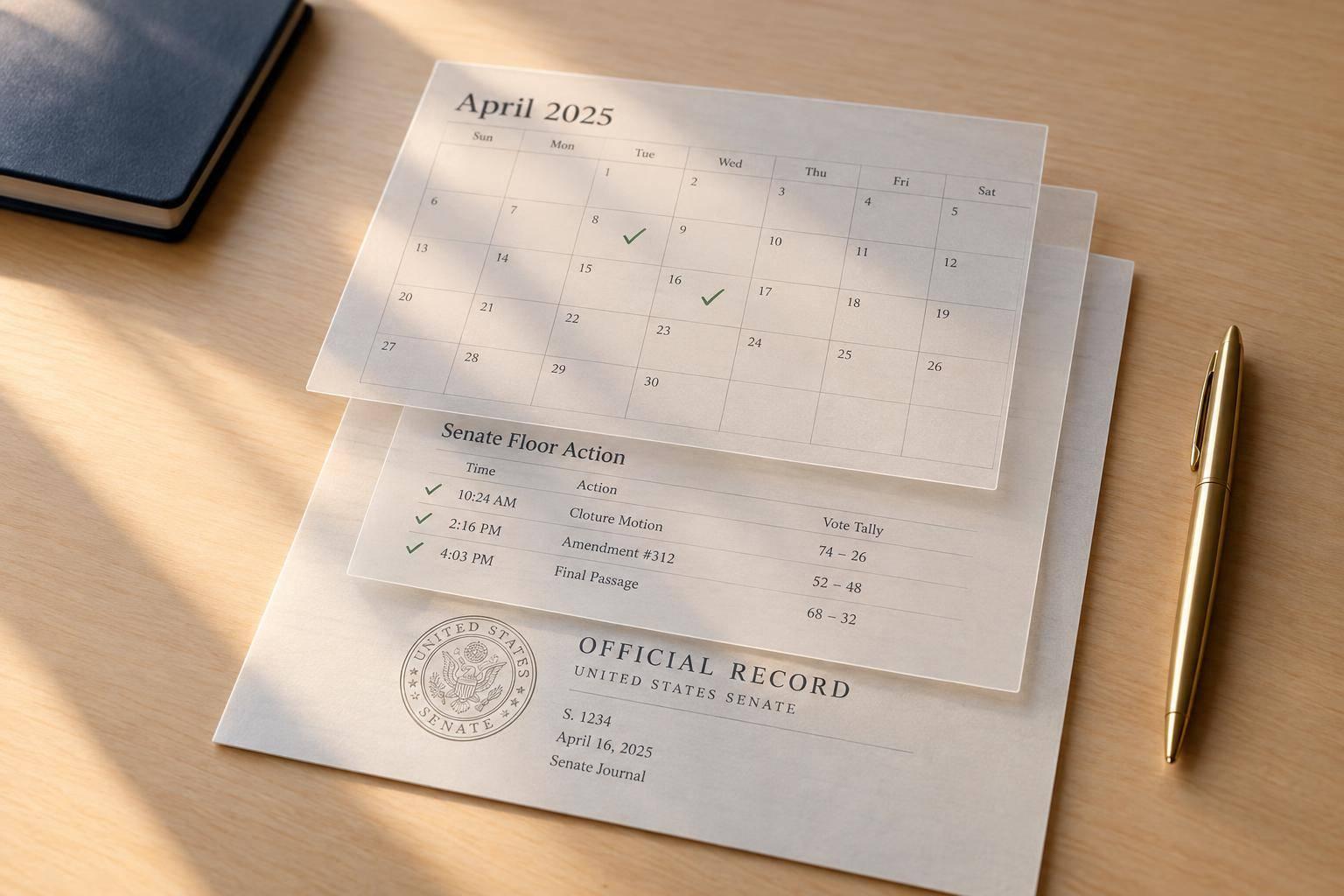
A Senate floor schedule tells me what’s planned - not what passed. I save a timestamped copy, match each item to its measure and calendar entry, and check the official floor record before reporting a result.
I track three things:
- The item: The bill, resolution, nomination, or treaty - and the exact question before the Senate.
- The timing: Announced debate limits, expected votes, and actual action, logged in Eastern Time.
- The outcome: Schedule changes and completed actions, checked against Senate records.
A 73–25 vote to invoke cloture, for example, is a procedural result - not bill passage. I keep that distinction clear, label live observations unverified, and use Legislate.dev only as a cross-check.
My rule: verify the action, not just the schedule.
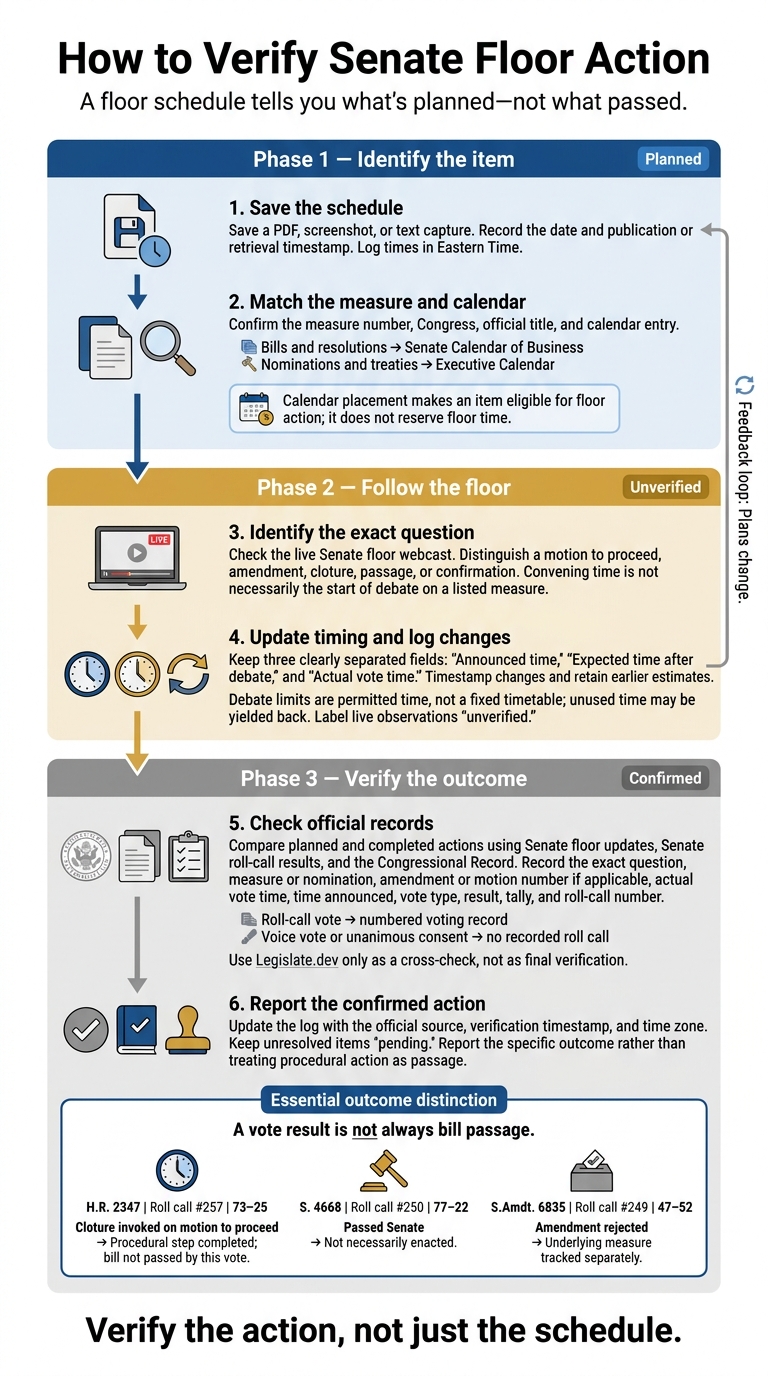
How to Verify Senate Floor Action
Congress.gov: Calendars and Scheduling
Step 1: Identify Measures and Calendar Entries
With the schedule saved, confirm exactly which measure each entry refers to.
Read Schedule and Calendar Details
The convening time is the expected start of the meeting - not necessarily the start of debate on a listed measure. Opening proceedings, leader remarks, morning business, or procedural motions may come first. Check the tentative business line to see what action is planned: a motion to proceed, resumed consideration, or another procedure.
Use the Senate Calendar of Business for bills and resolutions and the Executive Calendar for nominations and treaties. Being on a calendar makes an item eligible for floor action. It does not reserve floor time.
After matching the entry to the right calendar, verify the measure number and official title.
Match Measure Numbers, Titles, and Calendar Numbers
A measure number identifies legislation within a Congress. A calendar number identifies its entry in a particular Senate calendar. Before using a shortened title, match the chamber prefix, number, and Congress. Then check the official title, sponsor, calendar section, and latest action. For a nomination or treaty, record the nominee or treaty identifier and the Executive Calendar entry.
These examples pair each measure number with its Senate calendar number.
Bill or resolution number Calendar number Sponsor Measure title Calendar section Current Senate status* S. 2355 522 Sen. Roger Marshall Patients Deserve Price Tags Act General Orders Placed on Calendar (July 27, 2026) S. 1498 294 Sen. Josh Hawley HONEST Act General Orders Placed on Calendar (December 10, 2025) S. 2257 113 Sen. Markwayne Mullin Legislative Branch Appropriations Act, 2026 General Orders Placed on Calendar (July 10, 2025)
* Keep calendar placement separate from floor action: “ordered to be reported” is not the same as “placed on calendar,” and neither means the Senate has debated or passed the measure.
Step 2: Follow Debate and Vote Timing
Once you’ve matched the schedule to the right measure, check the live Senate floor webcast to verify what happens. Keep the webcast and your notes visible as you compare floor action with the matched entry. Start at the convening time, noting any delays or procedural activity before the listed item, which can vary depending on the specific Congress in session.
Identify the Action Before the Senate
Record the exact procedural question. A motion to proceed asks whether to take up a measure. An amendment proposes a change. Cloture limits further debate to any remaining time allowed. Passage approves a bill or resolution, while confirmation approves a nominee.
A voice vote has no individual voting record. A roll-call vote creates a numbered record. Unanimous consent means the Senate acts without objection - not that senators cast recorded yes votes.
Read Debate Limits and Vote Windows
Treat allotted debate as permission to use time, not a fixed schedule. Under controlled time, floor managers divide that time between supporters and opponents.
Check the floor announcement or unanimous-consent agreement for the debate split and the next action: cloture, an amendment vote, or a series of votes. Senators can yield back unused time, and a vote doesn’t always follow immediately after debate ends.
Revise Expected Vote Times
Keep announced time, expected time after debate, and actual vote time separate. Update your estimate whenever a vote notice, floor announcement, or unanimous-consent agreement changes the schedule. Even an announced time can shift. Keep the earlier estimate and timestamp each update.
Use those updates to maintain your same-day schedule log. When action occurs, record the exact question, measure or nomination, amendment or motion number if applicable, actual vote time, time announced, vote type, result, tally, and roll-call number.
Check recorded votes against the Senate roll-call record. Mark voice votes and unanimous-consent actions as having no recorded roll call.
Step 3: Log Changes and Verify Senate Action
Once you’ve identified the action and timing, use a change log to compare the plan with what the Senate actually did.
Keep a Same-Day Schedule Change Log
Save the initial schedule as a PDF, screenshot, or text capture. Include the date and the time it was published or retrieved. Keep this copy as your reference, then log each change with a timestamp and source as live updates come in.
Compare Planned and Completed Actions
Give official final records priority over tentative plans. Compare your saved schedule with Senate floor updates, roll-call results, and the Congressional Record.
Match each scheduled item to the completed action and record the official source. The table below separates procedural outcomes from bill status.
Scheduled item Expected action Actual action Vote number or type Result Source record Status change H.R. 2347 Cloture on motion to proceed Cloture invoked Roll call #257 73–25 Senate roll-call record Procedural step completed; bill not passed by this vote S. 4668 Final passage Passed Senate Roll call #250 77–22 Senate roll-call record Passed Senate, not necessarily enacted S.Amdt. 6835 Amendment vote Amendment rejected Roll call #249 47–52 Senate roll-call record Amendment not adopted; underlying measure tracked separately
Written records can lag live proceedings. Mark live observations as unverified until the official record confirms them, then update your log.
Track Legislative Progress with Legislate.dev
Use Legislate.dev for a quick cross-check of the day’s action, linking schedule entries to vote updates and legislative status. Treat those details as context. Verify vote totals, unanimous-consent agreements, passage, and final status against official Senate floor records, roll-call results, and the Congressional Record.
Conclusion: Verify What Happened on the Floor
Close the loop with your same-day change log. Use the latest schedule to check the official floor record for that legislative day. Match the measure number, title, calendar entry, debate limits, vote notices, and same-day changes.
Scheduled consideration is not passage. Report what happened: consideration began, cloture was invoked, an amendment was adopted, or the bill passed the Senate. A procedural vote does not mean the Senate approved the underlying bill.
Record each update with its source, verification timestamp, and time zone. Mark announced vote times as expected and unresolved items as pending until the official record confirms the result.
FAQs
What if a scheduled bill never comes up?
The bill remains pending. A calendar or schedule listing makes it eligible for action, but it doesn’t guarantee a vote. Leadership priorities, limited floor time, and procedural hurdles can delay action.
If both chambers don’t pass identical versions before Congress ends, the bill expires and must be reintroduced. Legislate.dev tracks legislative progress and floor activity in near real time so you can check the bill’s status.
How do I track votes that cross midnight?
Use the official Senate roll-call record, not calendar dates alone, to link each vote to the correct legislative day and action. Senate sessions can run past midnight.
Record the exact date and time listed in the official chamber record to prevent confusion across calendar days. Then match the roll-call number to the specific bill action on Congress.gov to check your tracking note.
What should I do when official records conflict?
Flag the discrepancy and use the official record from the time of the action. Don’t assume events followed a standard sequence. Check each claim against bill histories, amendment texts, and vote records.
If you can’t find a date or record, label it “not located” instead of guessing. Start with official Congress, House, and Senate sources, and keep the bill’s primary record at the center of your research.